An explicit view name should normally be returned from a controller's handler method, but we can instead take advantage of automatic view name resolution provided by an implementation of RequestToViewNameTranslator.
The strategy interface RequestToViewNameTranslator is capable of translating an incoming HttpServletRequest into a logical view name when no view name is explicitly returned from the controller. It defines only one method:
Definition of RequestToViewNameTranslatorVersion: 7.0.6 package org.springframework.web.servlet;
public interface RequestToViewNameTranslator {
String getViewName(HttpServletRequest request)
throws Exception; 1
}
Spring has only one implementation of this interface, DefaultRequestToViewNameTranslator, which transforms the request URI into a view name. It has the following configurable properties:
prefix: A String that is prepended to the generated view name. The default is an empty string ("").
suffix: A String that is appended to the generated view name. The default is an empty string ("").
separator: A String used to separate the parts of the URI. The default is "/".
stripLeadingSlash: A boolean that specifies whether the leading slash should be removed. The default is true.
stripTrailingSlash: A boolean that specifies whether the trailing slash should be removed. The default is true.
stripExtension: A boolean that specifies whether the file extension should be removed. The default is true.
To take advantage of this feature, we don't have to do any configuration — by default, DispatcherServlet internally uses an instance of this class with the following properties.
prefix = ""
suffix = ""
separator = "/"
stripLeadingSlash = true
stripTrailingSlash = true
stripExtension = true
Example
The Controller
The following handler methods don't return a view name.
package com.logicbig.example;

import org.springframework.stereotype.Controller;
import org.springframework.ui.Model;
import org.springframework.web.bind.annotation.RequestMapping;

@Controller
public class ExampleController {
    @RequestMapping({"page1"})
    public void handle (Model model) {
        model.addAttribute("msg", "a msg from handler1");
    }

    @RequestMapping("data/page2")
    public void handle2 (Model model) {
        model.addAttribute("msg", "a msg from handler2");
    }
}
src/main/webapp/WEB-INF/views/page1.jsp
...
<html>
 <body>
   <h3>Page 1</h3>
   ${msg}
 </body>
</html>
src/main/webapp/WEB-INF/views/data/page2.jsp
...
<html>
 <body>
   <h3>Page 2</h3>
   ${msg}
 </body>
</html>
src/main/resources/application.properties
spring.mvc.view.prefix= /WEB-INF/views/
spring.mvc.view.suffix= .jsp
The configuration class
package com.logicbig.example;

import org.springframework.context.annotation.Bean;
import org.springframework.context.annotation.ComponentScan;
import org.springframework.context.annotation.Configuration;
import org.springframework.web.servlet.ViewResolver;
import org.springframework.web.servlet.config.annotation.EnableWebMvc;
import org.springframework.web.servlet.config.annotation.WebMvcConfigurer;
import org.springframework.web.servlet.config.annotation.ViewResolverRegistry;
import org.springframework.web.servlet.view.InternalResourceViewResolver;

@EnableWebMvc
@Configuration
@ComponentScan
public class WebConfig implements WebMvcConfigurer {

    @Override
    public void configureViewResolvers(ViewResolverRegistry registry) {
    registry.jsp("/WEB-INF/views/", ".jsp");
    }
}
Run application
To try examples, run embedded Jetty (configured in pom.xml of example project below):
mvn jetty:run
Output
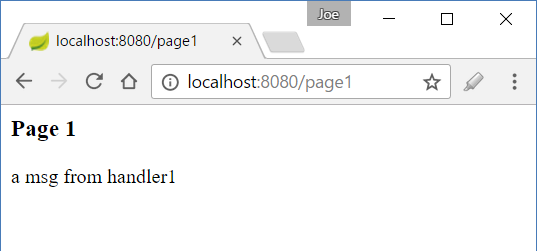
$ curl -s "http://localhost:8080/page1"


<html>
 <body>
   <h3>Page 1</h3>
   a msg from handler1
 </body>
</html>
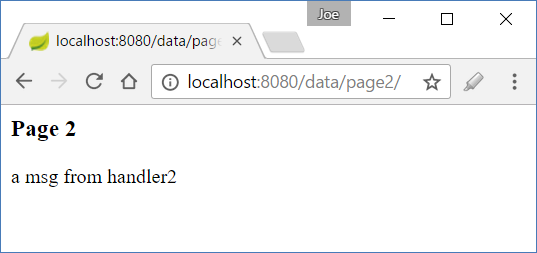
$ curl -s "http://localhost:8080/data/page2"


<html>
 <body>
   <h3>Page 2</h3>
   a msg from handler2
 </body>
</html>
Using an extension with the URL will also work:
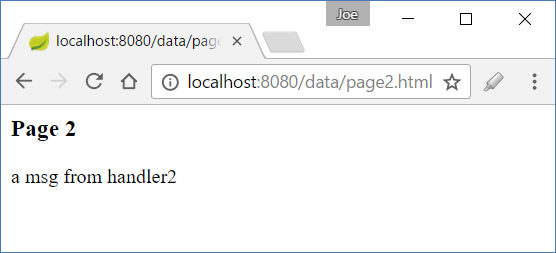
Note that all extensions will work except .jsp.
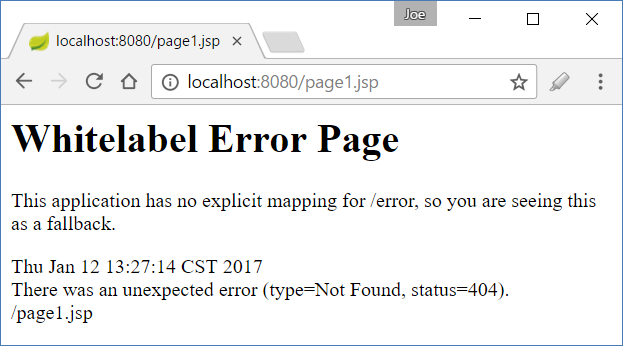
Why can't I access files with a .jsp extension?
The reason for the above 404 error is that the servlet container maps all requests ending with .jsp to an internal JSP Servlet (in the case of Tomcat: org.apache.jasper.servlet.JspServlet), so Spring's DispatcherServlet is never invoked. This behavior is in compliance with the Servlet specification.
Servlet specs:
12.2.1 Implicit Mappings
If the container has an internal JSP container, the *.jsp extension is mapped to it, allowing JSP pages to be executed on demand. This mapping is termed an implicit mapping. If a *.jsp mapping is defined by the Web application, its mapping takes precedence over the implicit mapping.
The specification allows an application to define an explicit mapping for .jsp, but this should be avoided.
According to the specification, the default JSP servlet looks for a requested .jsp file directly in the public folder, without routing through application-defined servlets like DispatcherServlet.
From Servlet specs 10.5:
Most of the WEB-INF node is not part of the public document tree of the application. Except for static resources and JSPs packaged in the META-INF/resources of a JAR file that resides in the WEB-INF/lib directory, no other files contained in the WEB-INF directory may be served directly to a client by the container. However, the contents of the WEB-INF directory are visible to servlet code ...
In our example, if we place a JSP file outside WEB-INF, we can access the page directly without a 404 error, but Spring's DispatcherServlet, and therefore our handlers, will not be invoked.
src/main/webapp/page3.jsp
....
<html>
 <body>
   <h3>Page 3</h3>
   <p>This page is outside WEB-INF</p>
   ${msg}
 </body>
</html>
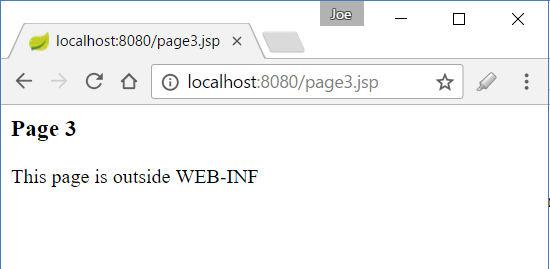
Note that ${msg} is not substituted with its value, because none of the handler methods were invoked.
Customized use of DefaultRequestToViewNameTranslator
We can customize the default behavior of DefaultRequestToViewNameTranslator by registering it as a bean and setting the desired properties:
Note: WebMvcConfigurerAdapter, shown in older versions of this tutorial, has been deprecated since Spring Framework 5.0 and removed in later major versions. Since WebMvcConfigurer now provides default method implementations (a Java 8 baseline feature), the adapter class is no longer needed — implement WebMvcConfigurer directly instead, as shown below.
@EnableWebMvc
@Configuration
@ComponentScan
public class WebConfig implements WebMvcConfigurer {
  ....

    @Bean
    public RequestToViewNameTranslator viewNameTranslator() {
        DefaultRequestToViewNameTranslator translator =
                  new DefaultRequestToViewNameTranslator();
        translator.setPrefix("app-");
        translator.setSuffix("-data");
        return translator;
    }
}
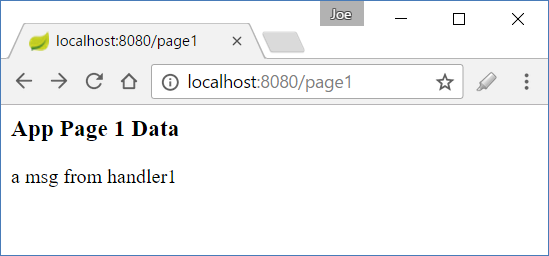
src/main/webapp/WEB-INF/views/app-page1-data.jsp
.....
<html>
 <body>
   <h3>App Page 1 Data</h3>
   ${msg}
 </body>
</html>
There are no changes to the controller.
Output
Example ProjectDependencies and Technologies Used: - spring-webmvc 7.0.6 (Spring Web MVC)
Version Compatibility: 3.2.9.RELEASE - 7.0.6 Version compatibilities of spring-webmvc with this example: Versions in green have been tested.
- spring-test 7.0.6 (Spring TestContext Framework)
- junit-jupiter-engine 6.0.3 (Module "junit-jupiter-engine" of JUnit)
- jakarta.servlet-api 6.1.0 (Jakarta Servlet API documentation)
- hamcrest 3.0 (Core API and libraries of hamcrest matcher framework)
- JDK 25
- Maven 3.9.11
|



