The following example shows how to register a custom ThemeSource. We still use the default ResourceBundleThemeSource, but this time we specify a non-empty basename prefix for it.
Note: ThemeSource, ResourceBundleThemeSource, and UiApplicationContextUtils.initThemeSource() have been deprecated since Spring Framework 6.0 in favor of using CSS directly for theming, with no direct replacement. They should be considered legacy and are not recommended for new applications.
Example
Java Config class
UiApplicationContextUtils.initThemeSource() looks for a user-configured ThemeSource bean under a specific name, as defined by UiApplicationContextUtils.THEME_SOURCE_BEAN_NAME, before falling back to the default one.
package com.logicbig.example;

import org.springframework.context.annotation.Bean;
import org.springframework.context.annotation.ComponentScan;
import org.springframework.context.annotation.Configuration;
import org.springframework.ui.context.ThemeSource;
import org.springframework.ui.context.support.ResourceBundleThemeSource;
import org.springframework.ui.context.support.UiApplicationContextUtils;
import org.springframework.web.servlet.config.annotation.*;

@EnableWebMvc
@Configuration
@ComponentScan
public class MyWebConfig implements WebMvcConfigurer {

    @Bean(name = UiApplicationContextUtils.THEME_SOURCE_BEAN_NAME)
    public ThemeSource customResourceBundleThemeSource() {
        ResourceBundleThemeSource source = new ResourceBundleThemeSource();
        source.setBasenamePrefix("app_");
        return source;
    }

    @Override
    public void addViewControllers(ViewControllerRegistry registry) {
        //mapping '/' to index view name without a controller
        ViewControllerRegistration r = registry.addViewController("/");
        r.setViewName("index");
    }

    @Override
    public void configureViewResolvers(ViewResolverRegistry registry) {
        registry.jsp();//default prefix=/WEB-INF/", suffix=".jsp"
    }
}
Theme Properties Files
src/main/resources/app_theme.propertiesbackground=beige
content-style=width:500px;border:solid 2px blue;margin:auto;padding:30px;
src/main/resources/app_theme_fr_FR.propertiesbackground=darkBlue
content-style=width:500px;border:solid 2px white;color:white;margin:auto;padding:30px;
JSP View:
/src/main/webapp/WEB-INF/index.jsp<%@ taglib prefix="spring" uri="http://www.springframework.org/tags"%>
<html>
<body style="background-color:<spring:theme code='background'/>;">
<div style="<spring:theme code='content-style'/>">
Test Content
</div>
</body>
</html>
To try examples, run embedded Jetty (configured in pom.xml of example project below):
mvn jetty:run Output
From the browser, with the default locale of 'en-US':
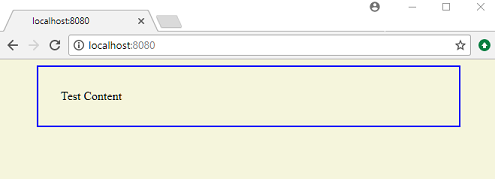
Using Curl:
$ curl -s "http://localhost:8080/"

<html>
<body style="background-color:beige;">
<div style="width:500px;border:solid 2px blue;margin:auto;padding:30px;">
  Test Content
</div>
</body>
</html>
Using curl with an explicit 'Accept-Language' header value of 'fr-FR':
$ curl -s "http://localhost:8080/" -H "Accept-Language: fr-FR"

<html>
<body style="background-color:darkBlue ;">
<div style="width:500px;border:solid 2px white;color:white;margin:auto;padding:30px;">
  Test Content
</div>
</body>
</html>
Example ProjectDependencies and Technologies Used: - spring-webmvc 6.0.0 (Spring Web MVC)
Version Compatibility: 4.1.0.RELEASE - 6.2.19 Version compatibilities of spring-webmvc with this example: Versions in green have been tested.
- jakarta.servlet-api 6.0.0 (Jakarta Servlet API documentation)
- JDK 17
- Maven 3.9.11
|



