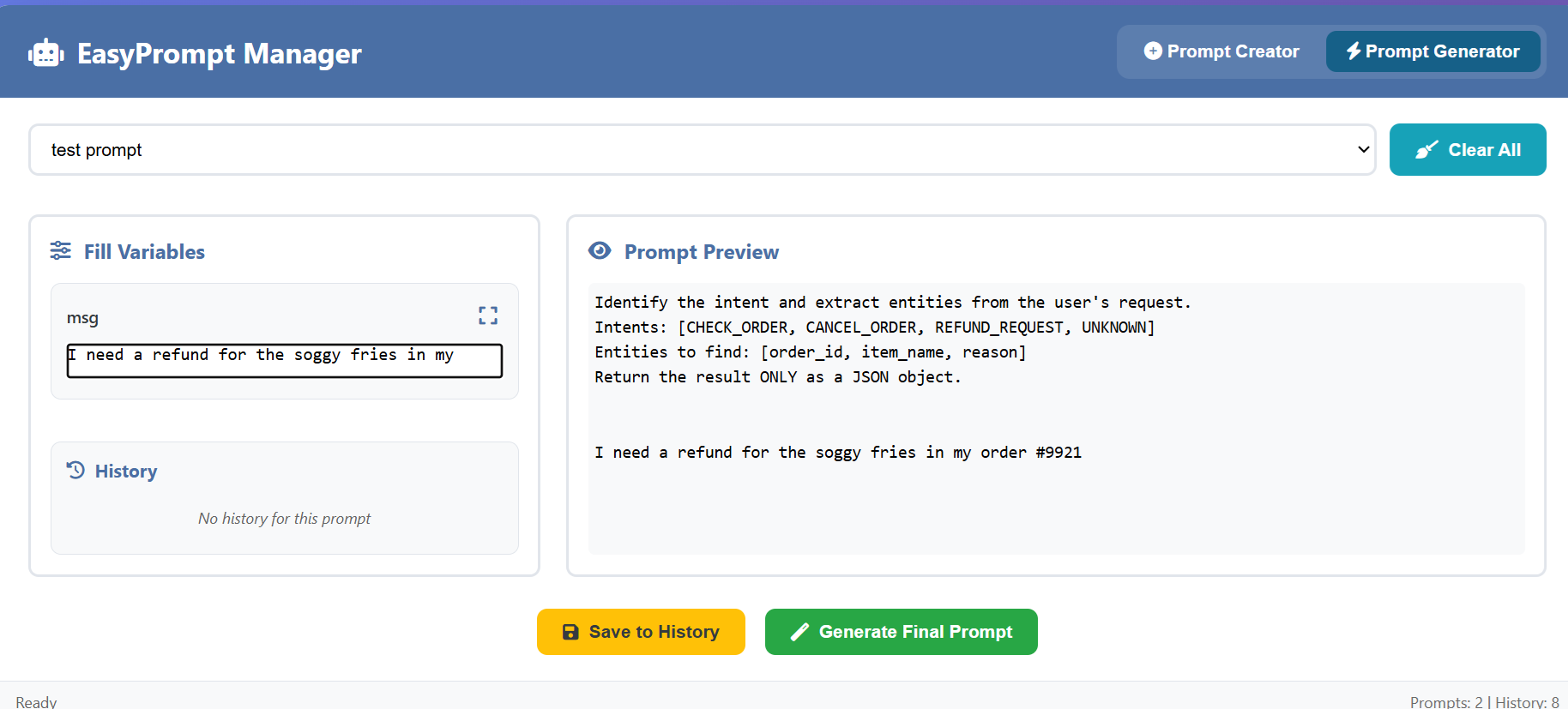
Create and edit AI prompts with placeholder variables using <<variable_name>> syntax.
Save prompts with descriptive names
Edit existing prompts with one click
Full-screen editor for complex prompts
Browser spell checking integrated
Prompt Generator
Generate customized prompts by filling variable values.
Select from saved prompts
Fill variables with values
Real-time preview with highlighted placeholders
Maximize variable fields for multi-line inputs
🔄 Smart Features
History System
Automatically saves filled variable combinations
Auto-loads recent values when selecting prompts
Click history entries to restore previous values
Maintains 50 most recent entries per prompt
Data Management
File System Access API: Save directly to files for permanent storage
Export/Import: Backup all prompts and history as JSON
LocalStorage: Automatic browser storage for convenience
🎨 User Experience
Visual Design
Clean, modern interface with intuitive navigation
Syntax highlighting for placeholders
Responsive layout for all screen sizes
Clear visual feedback for all actions
Modal System
Maximizable full-screen editors
Draggable modal windows
One-click copy to clipboard
Preserves text formatting and line breaks
🔒 Data Safety
Warning system for unsaved changes
Multiple backup options
Cross-browser compatibility
Works entirely offline - no server required
🚀 Technical Highlights
Pure HTML/CSS/JavaScript - no dependencies
Single-file deployment
Modern browser APIs (File System Access, Clipboard)
HTML-safe text rendering with proper escaping
Usage Example
Prompt: Write a <<document_type>> about <<topic>> for <<audience>>

Variables:
- document_type: blog post
- topic: artificial intelligence
- audience: beginners

Generated Output:
Write a blog post about artificial intelligence for beginners
Perfect for developers, content creators, and AI enthusiasts who work with structured prompts regularly.