In this example, we use ParameterizableViewController directly to map a URL to a view, instead of using ViewControllerRegistry. Implementing WebMvcConfigurer#addViewControllers() and calling registry.addViewController(...) (like last examples) actually creates and registers a ParameterizableViewController object and its handler mapping for you, behind the scenes. Both approaches end up using the same ParameterizableViewController class — the contrast is manual, low-level configuration versus the higher-level convenience API.
Example
The configuration class
package com.logicbig.example;

import org.springframework.context.annotation.Bean;
import org.springframework.context.annotation.Configuration;
import org.springframework.http.HttpStatus;
import org.springframework.web.servlet.HandlerMapping;
import org.springframework.web.servlet.config.annotation.EnableWebMvc;
import org.springframework.web.servlet.config.annotation.ViewResolverRegistry;
import org.springframework.web.servlet.config.annotation.WebMvcConfigurer;
import org.springframework.web.servlet.handler.SimpleUrlHandlerMapping;
import org.springframework.web.servlet.mvc.ParameterizableViewController;
import java.util.HashMap;
import java.util.Map;

@EnableWebMvc
@Configuration
public class WebConfig implements WebMvcConfigurer {

    @Bean
    public ParameterizableViewController myViewController() {
        ParameterizableViewController c = new ParameterizableViewController();
        c.setViewName("myView");
        c.setStatusCode(HttpStatus.OK);
        return c;
    }

    @Bean
    public HandlerMapping myHandlerMapping() {
        SimpleUrlHandlerMapping m = new SimpleUrlHandlerMapping();
        Map<String, Object> map = new HashMap<>();
        map.put("/test", myViewController());
        m.setUrlMap(map);
        m.setOrder(1);
        return m;
    }

    @Override
    public void configureViewResolvers(ViewResolverRegistry registry) {
        registry.jsp("/WEB-INF/pages/", ".jsp");
    }
}
In the above configuration, we map the path '/test' to the view named 'myView'.
The View
src/main/webapp/WEB-INF/pages/myView.jsp<html>
<body>
<h3>JSP view</h3>
<p>
Response Status: <%=response.getStatus() %>
</p>
</body>
</html>
Running the web application
To try examples, run embedded Jetty (configured in pom.xml of example project below):
mvn jetty:run 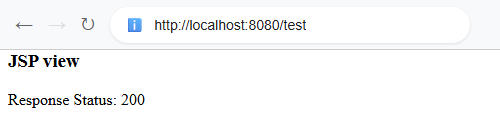 $ curl -s "http://localhost:8080/test"
<html>
<body>
<h3>JSP view</h3>
<p>
Response Status: 200
</p>
</body>
</html>
Example ProjectDependencies and Technologies Used: - spring-webmvc 7.0.6 (Spring Web MVC)
Version Compatibility: 4.1.0.RELEASE - 7.0.6 Version compatibilities of spring-webmvc with this example: Versions in green have been tested.
- jakarta.servlet-api 6.1.0 (Jakarta Servlet API documentation)
- JDK 25
- Maven 3.9.11
|



