The @Tag annotation can be applied at both class and method levels. When applied at class level, all test methods within that class are marked with that tag. .
Example
In this example we will see how to apply @Tag on methods and filter the test by tag name in Intellij.
Test methods using @Tag
package com.logicbig.example;

import org.junit.jupiter.api.Tag;
import org.junit.jupiter.api.Test;
import static org.junit.jupiter.api.Assertions.*;

public class BasicTagUsageTest {

    @Test
    @Tag("dev")
    void devTest() {
        assertEquals(2, 1 + 1);
        System.out.println("Running dev unit test");
    }

    @Test
    @Tag("integration")
    @Tag("end-to-end")
    void integrationTest() {
        assertTrue(true);
        System.out.println("Running integration unit test");
    }

    @Test
    void testWithoutMethodTag() {
        assertNotNull("test");
        System.out.println("Running test without tag");
    }
}
As seen above @Tag can be used multiple times on the same method (or even on a class).
Running in Intellij
If we run the test in Intellij in a normal way all tests will run:
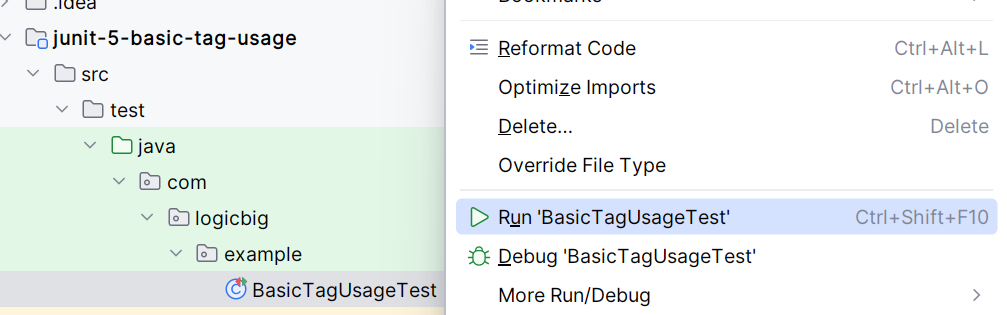
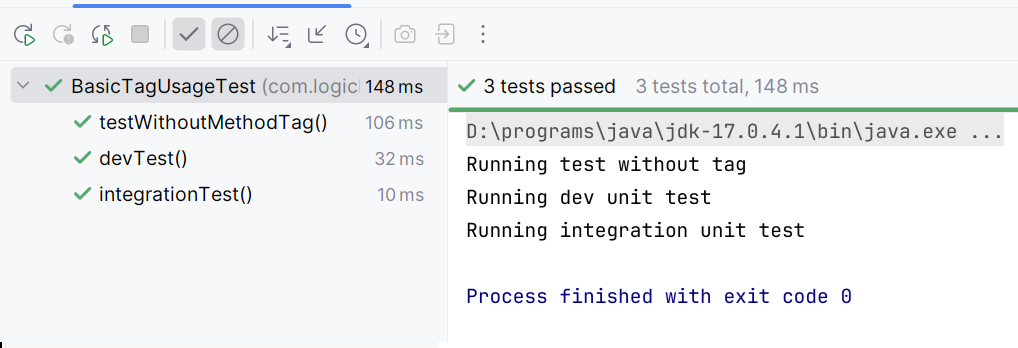
Running in Intellij with target tag names
I am using IntelliJ IDEA 2025.2.3 (Community Edition) in this example.
Go to edit configuration and select Tag (instead of class) and select intended tag names.
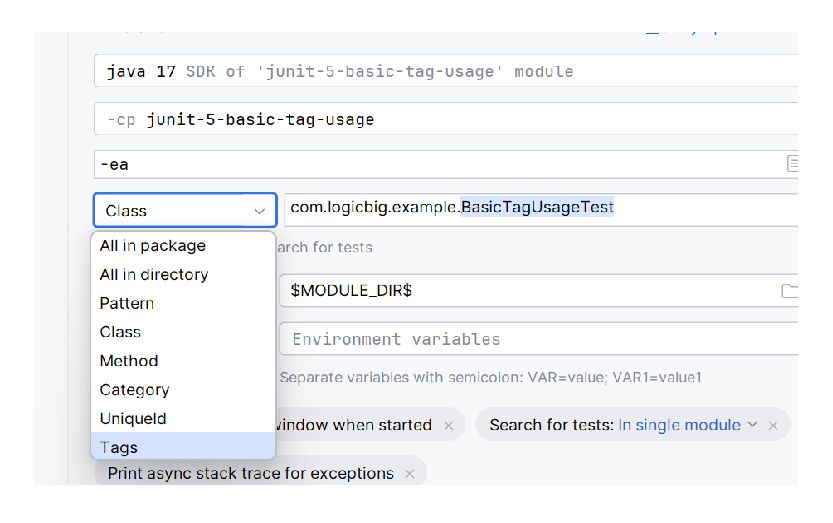
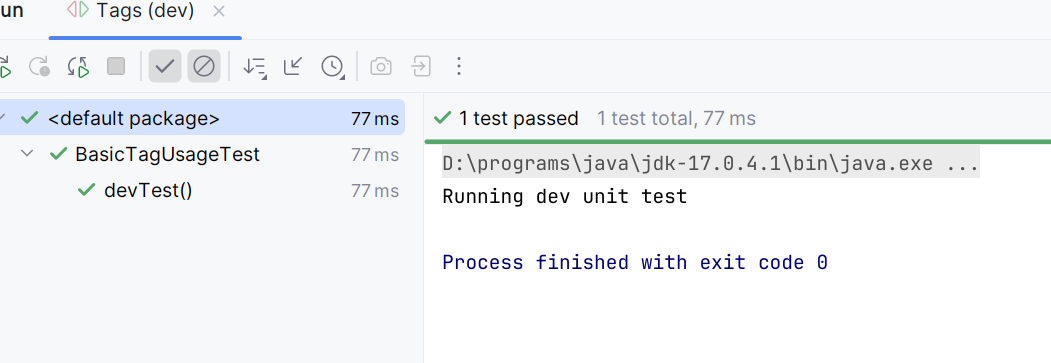
Just select one tag:
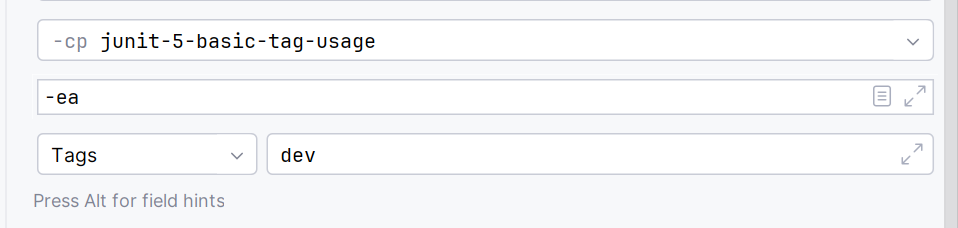
Now Run the test:
Selecting multiple tags
Specify pipe separated test names (dev | integration) in run configuration and run the test. Here | means 'or', i.e run all test methods which has one of the specified tag.

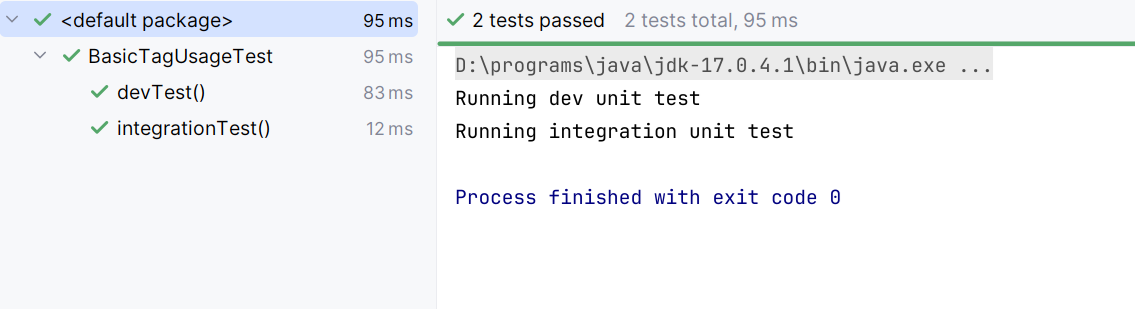
Tag expressions are boolean expressions with the following allowed operators: ! (not), & (and), and | (or). Parentheses can be used to adjust for operator precedence.
The tests could be defined in different classes to apply filtering.
Example ProjectDependencies and Technologies Used: - junit-jupiter-engine 6.0.1 (Module "junit-jupiter-engine" of JUnit)
Version Compatibility: 5.0.0 - 6.0.1 Version compatibilities of junit-jupiter-engine with this example:
- 5.0.0
- 5.0.1
- 5.0.2
- 5.0.3
- 5.1.0
- 5.1.1
- 5.2.0
- 5.3.0
- 5.3.1
- 5.3.2
- 5.4.0
- 5.4.1
- 5.4.2
- 5.5.0
- 5.5.1
- 5.5.2
- 5.6.0
- 5.6.1
- 5.6.2
- 5.6.3
- 5.7.0
- 5.7.1
- 5.7.2
- 5.8.0
- 5.8.1
- 5.8.2
- 5.9.0
- 5.9.1
- 5.9.2
- 5.9.3
- 5.10.0
- 5.10.1
- 5.10.2
- 5.10.3
- 5.10.4
- 5.10.5
- 5.11.0
- 5.11.1
- 5.11.2
- 5.11.3
- 5.11.4
- 5.12.0
- 5.12.1
- 5.12.2
- 5.13.0
- 5.13.1
- 5.13.2
- 5.13.3
- 5.13.4
- 5.14.0
- 5.14.1
- 6.0.0
- 6.0.1
Versions in green have been tested.
- JDK 25
- Maven 3.9.11
|



