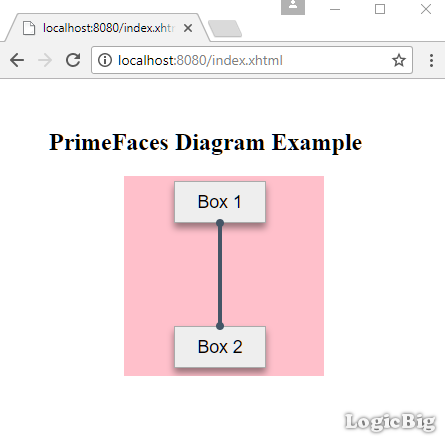
@ManagedBean
@ViewScoped
public class MyBean {
    private DefaultDiagramModel model;

    @PostConstruct
    public void init() {
        model = new DefaultDiagramModel();
        model.setMaxConnections(-1);

        //Box 1
        Element e1 = new Element();
        e1.setDraggable(false);
        e1.setData("Box 1");
        e1.setStyleClass("my-box");
        e1.setX("50px");
        e1.setY("15px");
        //appending a dot to bottom
        DotEndPoint p1 = new DotEndPoint();
        p1.setAnchor(EndPointAnchor.BOTTOM);
        p1.setRadius(4);
        e1.addEndPoint(p1);
        model.addElement(e1);

        //Box 2
        Element e2 = new Element();
        e2.setDraggable(false);
        e2.setData("Box 2");
        e2.setStyleClass("my-box");
        e2.setX("50px");
        e2.setY("160px");
        //appending a dot to top
        DotEndPoint p2 = new DotEndPoint();
        p2.setAnchor(EndPointAnchor.TOP);
        p2.setRadius(4);
        e2.addEndPoint(p2);
        model.addElement(e2);

        //connecting the two dots
        Connection c = new Connection();
        c.setSource(p1);
        c.setTarget(p2);
        c.setConnector(new StraightConnector());
        model.connect(c);
    }

    public DefaultDiagramModel getModel() {
        return model;
    }
}
To try examples, run embedded tomcat (configured in pom.xml of example project below):
mvn tomcat7:run-war
Output
Example Project
Dependencies and Technologies Used:
primefaces 6.1 primefaces
jsf-api 2.2.14:
This is the master POM file for Oracle's Implementation of the JSF 2.2 Specification.
jsf-impl 2.2.14:
This is the master POM file for Oracle's Implementation of the JSF 2.2 Specification.
datafactory 0.8: Library to generate data for testing.