↗ JetBrains 20% discount
Buy any product from JetBrains and get a 20% discount.
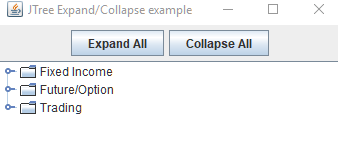
This example shows how to expand or collapse all nodes of a JTree programmatically.
package com.logicbig.example;

import javax.swing.*;
import javax.swing.tree.DefaultMutableTreeNode;
import javax.swing.tree.TreePath;
import java.util.ArrayList;
import java.util.Collections;

public class JTreeUtil {
    public static void setTreeExpandedState(JTree tree, boolean expanded) {
        DefaultMutableTreeNode node = (DefaultMutableTreeNode) tree.getModel().getRoot();
        setNodeExpandedState(tree, node, expanded);
    }

    public static void setNodeExpandedState(JTree tree, DefaultMutableTreeNode node, boolean expanded) {
        ArrayList<DefaultMutableTreeNode> list = Collections.list(node.children());
        for (DefaultMutableTreeNode treeNode : list) {
            setNodeExpandedState(tree, treeNode, expanded);
        }
        if (!expanded && node.isRoot()) {
            return;
        }
        TreePath path = new TreePath(node.getPath());
        if (expanded) {
            tree.expandPath(path);
        } else {
            tree.collapsePath(path);
        }
    }
}
public class TreeExampleMain {
    public static void main(String[] args) {
        Hashtable<?, ?> projectHierarchyMap =
                TradingProjectDataService.instance.getProjectHierarchy();
        JTree tree = new JTree(projectHierarchyMap);
        JFrame frame = createFrame();
        frame.add(new JScrollPane(tree));
        frame.add(createTopPanel(tree), BorderLayout.NORTH);
        frame.setLocationRelativeTo(null);
        frame.setVisible(true);
    }

    private static JComponent createTopPanel(JTree tree) {
        JPanel panel = new JPanel();
        JButton expandBtn = new JButton("Expand All");
        expandBtn.addActionListener(ae-> {
            JTreeUtil.setTreeExpandedState(tree, true);
        });
        panel.add(expandBtn);
        JButton collapseBtn = new JButton("Collapse All");
        collapseBtn.addActionListener(ae-> {JTreeUtil.setTreeExpandedState(tree, false);});
        panel.add(collapseBtn);
        return panel;
    }

    private static JFrame createFrame() {
        JFrame frame = new JFrame("JTree Expand/Collapse example");
        frame.setDefaultCloseOperation(JFrame.EXIT_ON_CLOSE);
        frame.setSize(new Dimension(500, 400));
        return frame;
    }
}
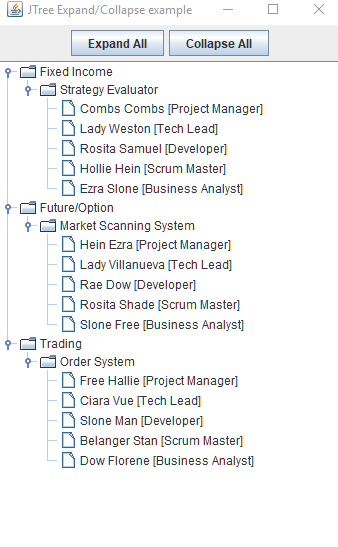
On clicking 'Expand All' button:
Dependencies and Technologies Used: